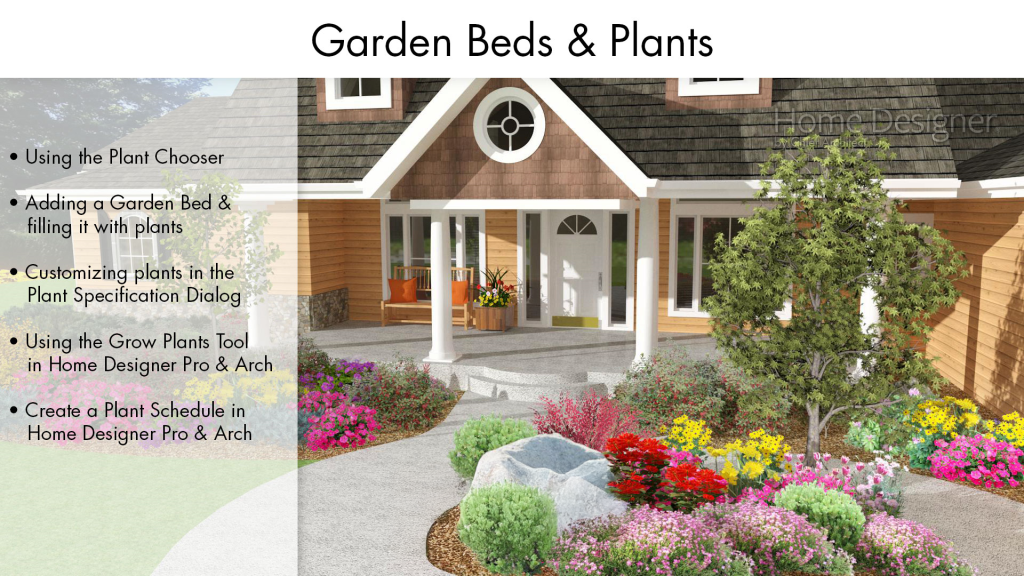
Imagine stepping into your backyard and being greeted by a stunning, well-organized garden that feels like a personal oasis. Sounds amazing, right?
Creating a garden design on CAD can turn this dream into reality, offering you the ability to plan and visualize every detail of your outdoor space before you even pick up a shovel. If you’ve ever felt overwhelmed by the idea of designing your garden or wondered how professionals achieve such perfect layouts, you’re in the right place.
This guide will walk you through the process, making it simple and enjoyable, even if you’re new to CAD software. By the end, you’ll have the skills to craft a garden that not only looks incredible but also meets your unique needs and desires. Ready to transform your space? Let’s dive in and unleash your creativity!
Choosing The Right Cad Software
Creating a garden design on CAD can be exciting. The right software makes the process smoother. CAD software allows precise planning and visualization. But choosing the right one is crucial. Different software offers varied features. Picking the best one ensures success in your design.
Popular Cad Options For Garden Design
There are several CAD software options available. Each has unique benefits for garden design. Here are some popular choices:
- SketchUp:Known for its user-friendly interface. Great for beginners.
- AutoCAD:A professional choice with advanced features.
- Vectorworks Landmark:Offers excellent landscaping tools.
- Realtime Landscaping Architect:Provides realistic 3D designs.
Evaluating Features And Usability
Consider the features each software offers. Does it meet your design needs? User-friendliness is also important. Complex software can slow you down. Look for intuitive interfaces and support resources. Check if the software includes tutorials. This helps you learn quickly and efficiently.
Planning Your Garden Layout
Creating a garden design on CAD software enhances precision and creativity. It allows for detailed planning and visualization of your layout. Tailor every corner of your garden with ease and accuracy.
Planning a garden layout with CAD software can be enjoyable. It allows you to visualize your garden before planting. A well-thought-out plan helps ensure a harmonious space. You can create a relaxing oasis or a vibrant vegetable garden. Let’s explore the key steps to design your garden effectively.Assessing Space And Dimensions
Begin by measuring your garden space accurately. Use a tape measure for precise dimensions. Note the length and width of each area. Include any slopes or uneven terrain. Enter these measurements into your CAD software. This step sets the foundation for your design. Ensure the scale is correct for accurate planning.Incorporating Existing Elements
Identify existing elements like trees, fences, or sheds. These features can enhance your garden design. Use CAD tools to map these elements precisely. Consider their impact on sun and shade patterns. Existing structures can dictate plant placement and garden paths. Integrate them creatively for a cohesive layout.Design Principles For Gardens
Creating a garden design on CAD involves organizing plants, paths, and features digitally. Visualize layouts and test ideas efficiently. This method enhances precision and flexibility, ensuring a harmonious garden plan.
Creating a garden design using CAD software requires an understanding of design principles. These principles guide you in arranging elements harmoniously. A well-designed garden is pleasing to the eye and functional. You can transform your outdoor space into a haven by incorporating balance, symmetry, color, and texture.Balance And Symmetry
Balance gives your garden a sense of stability. It involves distributing visual weight evenly. Symmetry is one way to achieve balance. You can place identical elements on both sides of a central point. This creates a formal and orderly look. Asymmetrical balance can also be appealing. It uses different elements that have equal visual weight. This creates a more relaxed and dynamic appearance.Color And Texture
Colors bring life to your garden. Choose a palette that complements your surroundings. Bright colors can energize. Soft colors create a calm ambiance. Texture adds depth and interest. Mix plants with different leaf shapes and sizes. Use smooth stones or rough bark. These elements enhance visual appeal and tactile experience.
Credit: www.youtube.com
Creating Planting Plans
Designing a garden on CAD offers precision and flexibility. Begin by sketching your layout, then input dimensions. Experiment with plant placements for visual appeal and optimal growth.
Creating a planting plan is an essential part of garden design on CAD. It helps visualize how plants will look and grow together. This step is crucial for creating harmony in your garden. A good plan ensures that every plant has enough space and light.Selecting Plant Species
Choosing the right plant species is vital. Consider the climate and soil in your area. Research which plants thrive in your environment. Some plants need more water or sunlight than others. Select plants that suit the conditions of your garden space. Native plants are often a great choice. They are adapted to local conditions and require less maintenance.Arranging Plant Groups
Arrange plants in groups for visual appeal. Grouping plants can enhance the garden’s beauty. Consider color, texture, and height when grouping. Tall plants can create a backdrop. Short plants can fill the foreground. Mix different colors and textures for interest. Use CAD tools to experiment with different layouts. This allows you to see how different arrangements work. It can help you spot potential issues before planting.Hardscape Design Techniques
Creating a garden design on CAD involves arranging elements like pathways, walls, and patios. Use layers to organize different parts. Experiment with textures and colors to visualize the final look.
Creating a garden design using CAD software gives you the precision and flexibility to visualize your outdoor space before breaking ground. One of the most transformative aspects of garden design is hardscape, which refers to the non-living elements in your garden like paths, patios, and water features. These elements not only add structure but also enhance the functionality and aesthetics of your garden. Let’s delve into some hardscape design techniques that can elevate your garden to the next level.Paths And Patios
Designing paths and patios in your garden is like setting the stage for movement and relaxation. Consider the flow of your garden; paths should guide you seamlessly from one area to another. A winding path can add a sense of mystery and intrigue, encouraging exploration. Materials play a crucial role. Opt for natural stone for a rustic feel, or use sleek concrete for a modern look. Think about the texture and color, and how they complement your plants. Patios act as outdoor rooms. When designing a patio, consider the activities you’ll enjoy there. Is it a space for dining, lounging, or entertaining? The size and shape should accommodate these uses while harmonizing with the overall garden layout.Water Features And Structures
Water features can transform a garden into a serene oasis. The sound of trickling water adds tranquility, while the visual element enhances your garden’s appeal. Choose a feature that suits your garden’s scale—a small fountain for compact spaces or a pond for larger areas. When designing water features in CAD, consider placement carefully. Ensure it’s visible from key vantage points, like your patio or living room window. Think about maintenance; a self-cleaning feature may save you time and effort. Structures like pergolas or gazebos provide shade and focal points. They can define areas within your garden, creating cozy nooks or dramatic entrances. With CAD, you can experiment with different styles and sizes to find the perfect fit for your landscape. Which hardscape elements excite you most? Use CAD software to experiment and see how paths, patios, water features, and structures can transform your garden into a personal paradise.Lighting And Accessories
Creating a garden design on CAD involves selecting the right lighting and accessories. Proper lighting enhances garden aesthetics and functionality, while accessories add personal touches.
Creating a garden design on CAD involves many elements. Lighting and accessories play a vital role. They enhance the beauty and functionality of your garden. Well-placed lights create a magical ambiance. Decorative elements add personality and charm. These two aspects can transform your garden into a unique oasis.Outdoor Lighting Options
Outdoor lighting serves both practical and aesthetic purposes. Choose lights that highlight key features of your garden. Pathway lights ensure safe navigation. They also add a warm glow to walkways. Spotlights draw attention to specific plants or structures. String lights create a festive, cozy atmosphere. Solar-powered options are eco-friendly and cost-effective. They charge during the day and light up at night.Decorative Elements
Decorative elements give your garden a personal touch. Statues or sculptures can be focal points. They add interest and depth. Birdbaths and feeders attract wildlife. This brings life and motion to your garden. Wind chimes provide soothing sounds. They enhance the sensory experience. Consider adding colorful pots or planters. They offer vibrant accents and can match your garden’s theme.Integrating Sustainability
Design a sustainable garden using CAD for a greener future. Incorporate native plants and efficient irrigation systems. Plan carefully to maximize sunlight and minimize waste.
Integrating sustainability into your garden design not only benefits the environment but also enhances the beauty and functionality of your outdoor space. When using CAD software for garden design, you can plan and visualize eco-friendly features effectively. It encourages us to think about long-term impacts and how our gardens can be a part of the solution to environmental challenges.Water Conservation Strategies
Water is a precious resource, and conserving it should be a priority in your garden design. Consider using rainwater harvesting systems. You can easily position barrels or tanks in your CAD design, ensuring they blend seamlessly with the landscape. Drip irrigation is another efficient strategy. This method minimizes water waste by delivering moisture directly to plant roots. Visualize the layout in CAD to ensure even coverage and avoid overwatering. Explore drought-resistant plants. These species require less water and can thrive in various climates. Use CAD to map out areas where these plants can thrive, reducing the overall water footprint of your garden.Eco-friendly Materials
Selecting sustainable materials is a vital step in creating an eco-friendly garden. Opt for recycled materials whenever possible. CAD allows you to experiment with different materials and see how they fit within your design. Consider using permeable paving for paths and driveways. These materials allow water to seep through, reducing runoff and helping maintain natural water cycles. CAD can help you plan the placement and design of these pathways efficiently. Think about the lifecycle of the materials you choose. Will they last long? Are they biodegradable? By using CAD, you can simulate the wear and tear of materials, helping you make informed decisions that support sustainability in the long run. By integrating these strategies, you not only create a beautiful garden but also contribute positively to the environment. What small changes can you make in your garden design today to support a sustainable future?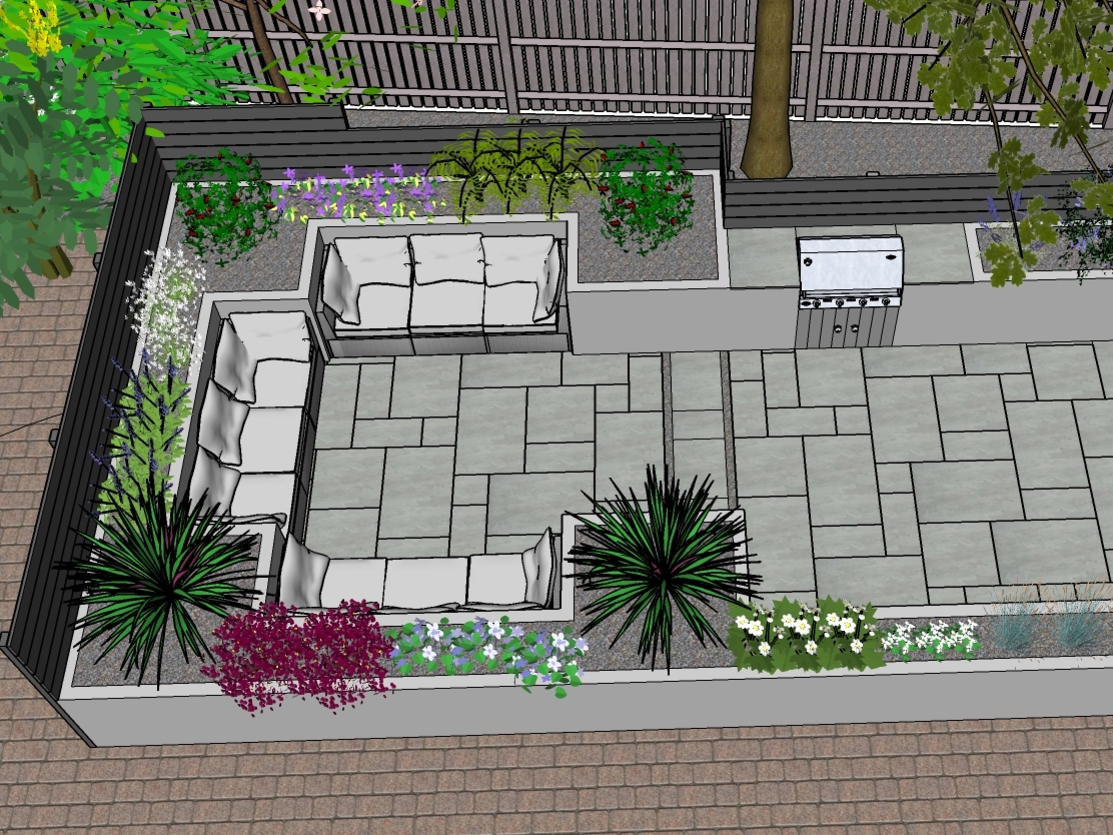
Credit: www.postalgardendesign.co.uk
Review And Adjustment
Creating a garden design in CAD offers precision and clarity. Once the initial design is complete, reviewing and adjusting it is essential. This step ensures every element fits harmoniously within the space. It fine-tunes the layout and enhances the overall aesthetic. Let’s explore how to effectively review and adjust your CAD garden design.
Checking For Errors
Start by scanning the design for mistakes. Look for overlapping elements or misplaced objects. Ensure paths and borders align correctly. Verify dimensions match the intended scale. Double-check plant placements and spacing. This prevents future complications in the garden.
Refining The Design
Consider the flow and accessibility of the garden. Adjust pathways for easy navigation. Ensure seating areas have enough space. Check plant combinations for visual harmony. Balance colors and textures for aesthetic appeal. Make sure water features are strategically placed. This enhances the garden’s functionality and beauty.
Test different perspectives to see the design from all angles. This ensures every view is pleasing. Adjust lighting elements for optimal brightness. Tweak plant heights for visual interest. Continuously refine until the design feels cohesive and complete.
Exporting And Sharing Designs
Exporting and sharing garden designs on CAD is simple. Save your project in a common file format like PDF or DWG. Use email or cloud services to share with others, ensuring easy access and collaboration.
Creating a garden design using CAD software is an exciting journey that combines creativity with precision. Once you’ve perfected your design, the next step is to export and share it. This phase is crucial as it allows you to present your ideas clearly and professionally, whether you’re collaborating with team members or showcasing your vision to clients. Let’s delve into the specifics of exporting and sharing your CAD garden designs effectively.File Formats And Compatibility
Choosing the right file format is essential for ensuring compatibility with different software and devices. CAD software typically offers multiple export options like DWG, DXF, PDF, and more. – DWG and DXF: These are standard formats used in CAD applications, making them ideal for sharing with other designers. They maintain the design’s precision and detail. – PDF: Perfect for presentations, PDFs provide a static view of your design and are universally accessible, ensuring that clients can view the design without specific software. – Image Files (JPEG, PNG): Useful for quick previews or social media sharing, though they lack the detail and scalability of vector files. Consider the needs of your audience before choosing a file format. Will they need to edit the design or simply view it?Presenting To Clients
When presenting your garden design to clients, clarity and professionalism are key. An engaging presentation can mean the difference between merely showing a design and inspiring a vision. – Visual Aids: Use high-quality images or 3D renderings to make the design more tangible. A well-crafted visual can speak louder than words. – Detailed Plans: Provide detailed plans that highlight key features, plant selections, and layout. Clients appreciate when they can visualize how each element contributes to the overall design. – Interactive Formats: Consider using interactive PDFs or online platforms that allow clients to explore the design at their own pace. This can be particularly useful for complex projects. Think about how you would feel as a client receiving this presentation. Does it inspire confidence and excitement about the project? Your ability to effectively communicate your design will ultimately influence its success.
Credit: housedesigner.com
Frequently Asked Questions
What Is Cad Garden Design?
CAD garden design involves creating detailed plans using computer software. It allows for precise measurements and adjustments, ensuring your garden layout is efficient and visually appealing. Using CAD software can help visualize your ideas, making it easier to experiment with different designs and elements before starting the actual garden development.
How Do I Start Garden Cad Design?
Begin by choosing the right CAD software for your needs. Familiarize yourself with its features and tools. Start by sketching your garden layout, including paths, plants, and structures. Experiment with different designs and components. Ensure to measure accurately and visualize your plan thoroughly before implementing it in real life.
Can Cad Design Improve Garden Planning?
Yes, CAD design can significantly enhance garden planning. It offers precise measurements and visualization tools, allowing for better layout optimization. CAD software lets you explore various design options and foresee potential issues. This way, you can create a more efficient and aesthetically pleasing garden space without the guesswork.
What Tools Are Needed For Cad Garden Design?
To start CAD garden design, you’ll need a reliable computer and suitable CAD software. Popular choices include AutoCAD and SketchUp. Also, invest in a good quality mouse for precise navigation. Additionally, ensure your software includes landscape design features for a comprehensive garden plan.
Conclusion
Creating a garden design on CAD is simple and rewarding. It allows you to plan every detail. Try different layouts and see what works best. Experiment with colors and plant choices. CAD helps you visualize the final look. Make changes easily without physical work.
This tool saves time and reduces errors. Start small and build confidence. Soon, you’ll create stunning garden designs. Enjoy the process and watch your garden dream come to life. A well-planned garden is a beautiful addition to any home. Happy designing!